
1. First of all please check the camera is installed in proper location and angle. A suggested indoor position is on the ceiling and look down.
2. Please make sure you have enough channel of Surveillance/Advanced IVS channels
3. Go to IVS setting page:
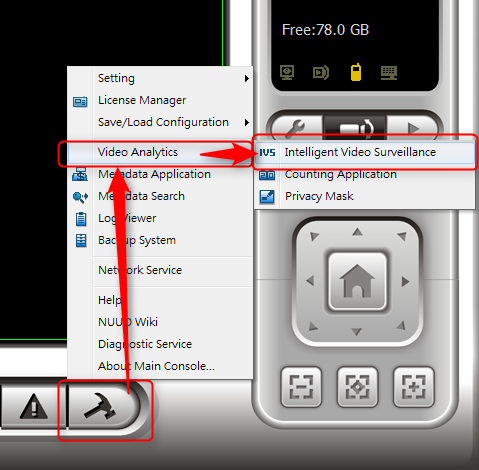
4. Try to insert a IVS channel, and associate it with corresponding camera and license 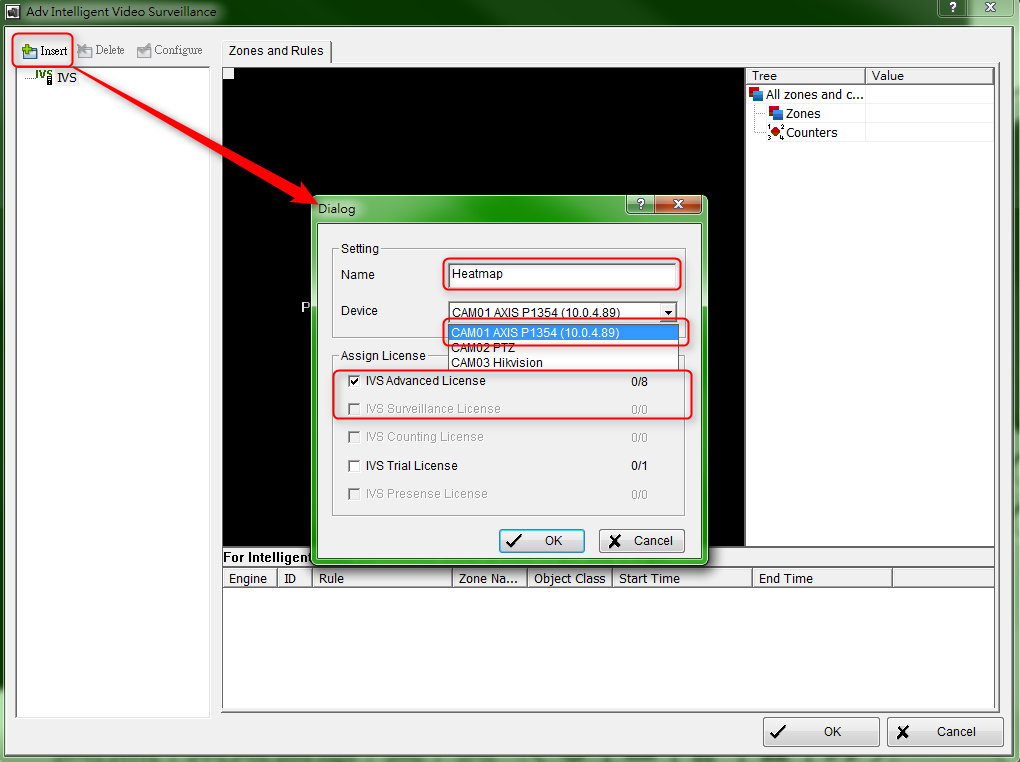
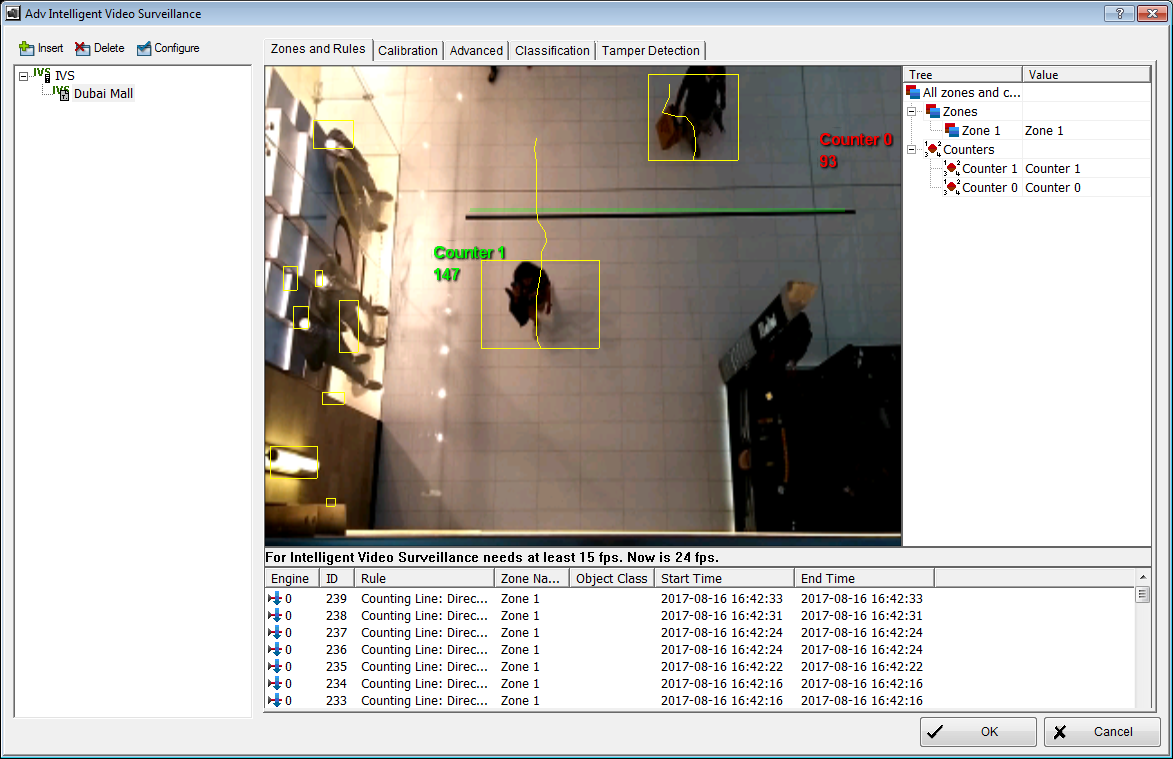
5. You should see yellow bounding boxes around the detected objects
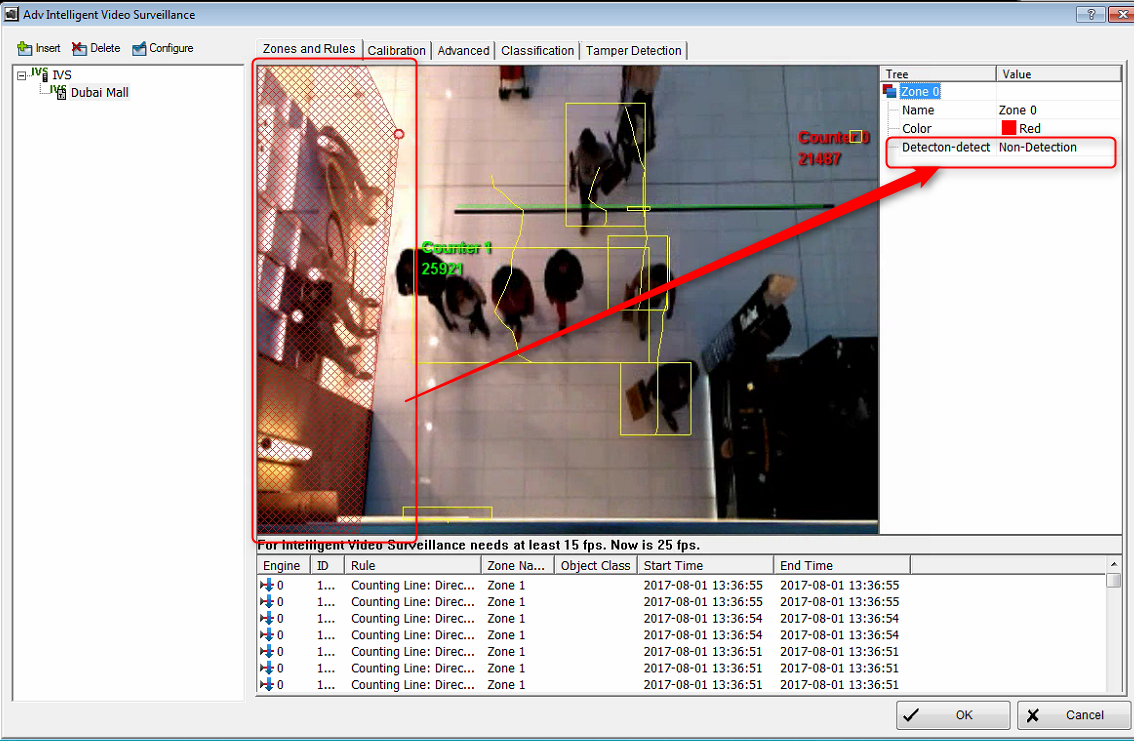
6. If some areas will cause unwanted result (ex: mirrors, windows glasses), please also remember to set is as non-detection zone. (By creating a new zone and set it as "Non-Detection")
7. In the same dialog, switch to "Advanced" tab. Remember to change the "Log every" setting if you want to see the result faster.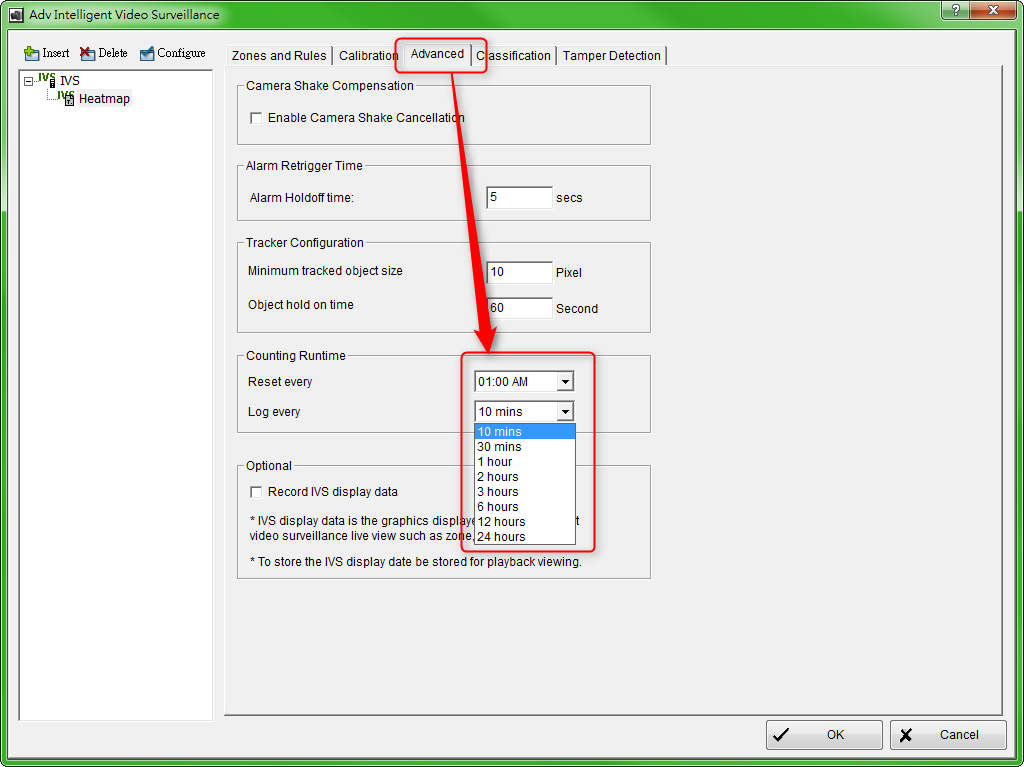
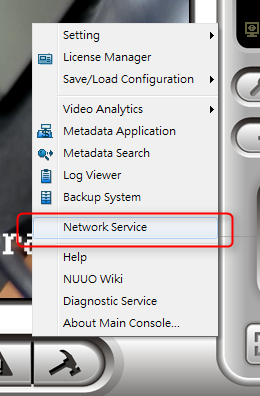
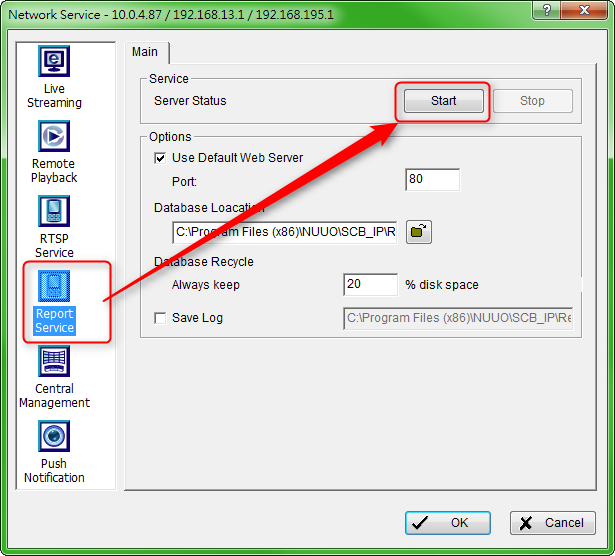
8. Go to network service and start "Report Service". You will get no data if this service is turned off.
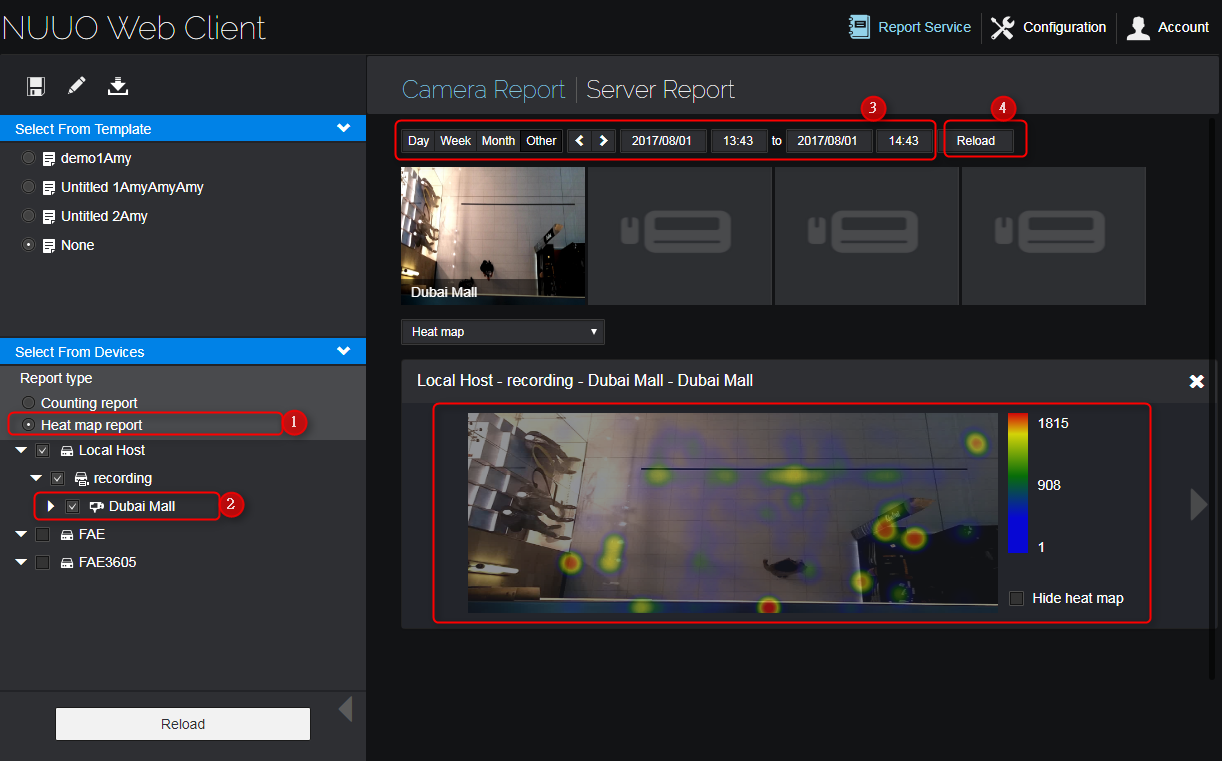
9. You should see the first result after 2 times of "Log every" time you set. (Ex: 20mins if you set it to 10 min). You can get it by go to Web report page and follow the steps in below picture.
Comments
0 comments
Please sign in to leave a comment.