
Description
How to do the Offline Activation in Crystal?
Solution
1. Login NuClient, select Management server > License and follow below steps:
Step 1: Choose "Offline" and "Activation" then select the path to store offline.req. Click "Export" to export it.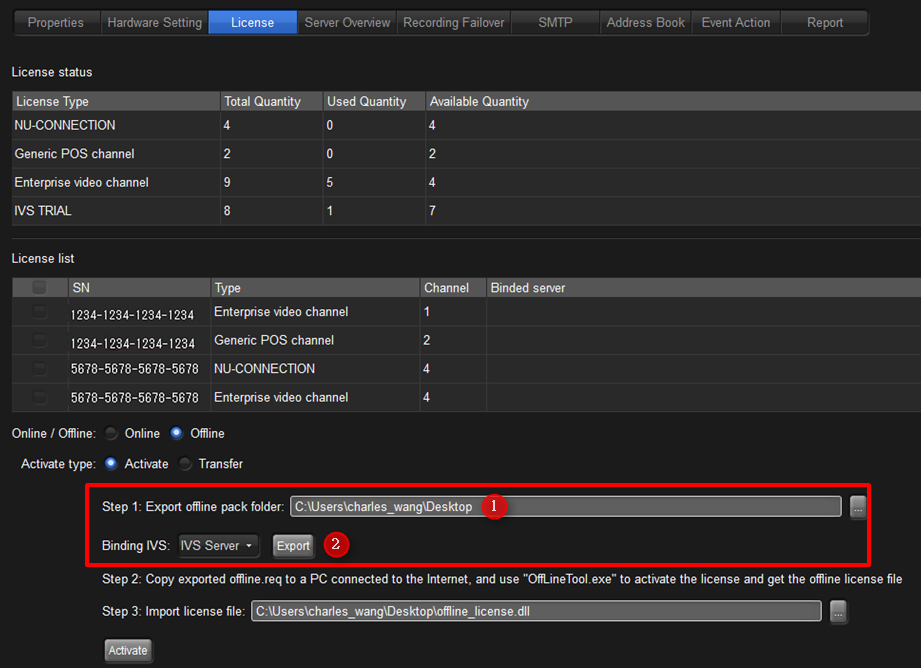
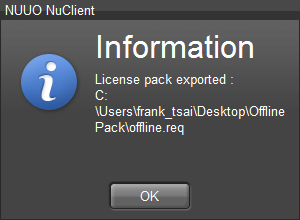
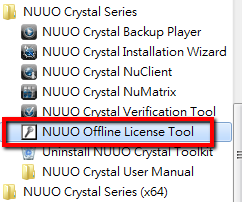
2. Copy the offline pack to a PC connect to the Internet and do the activation. Run "NUUO Offline License Tool".

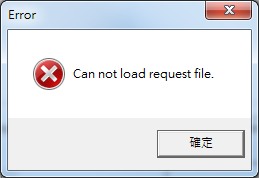
3.When you open the offline tool, it will pop up a message "Can not load request file'. Please click "OK" to skip out it.
4. Input the "Offline.req" in Offline tool.
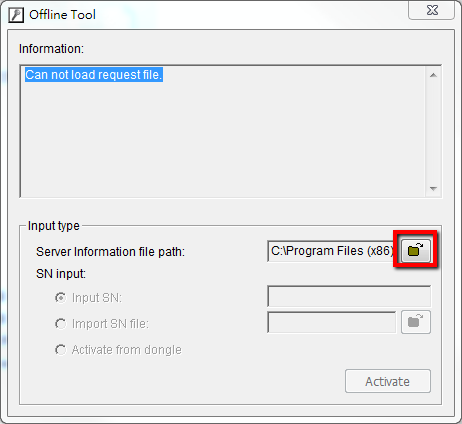
5. Input your Serial Number then click "Activate".

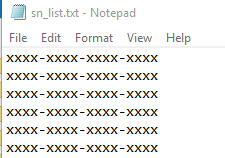
Note: If you want to activate multiple licenses at the same time, you can input licenses number to a txt file as below.
6. It will generate a "Offline_License.dll" file and please save it.
7. Choose where to save Offline_license.dll, for instance: Desktop.
A warning message will pop up to remind you the notification of .req file.
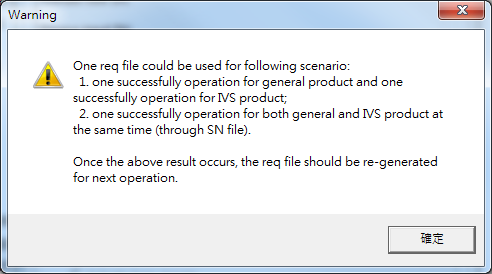
Confirmation.
8. Copy the "Offline_license.dll" file back to Crystal and import the file.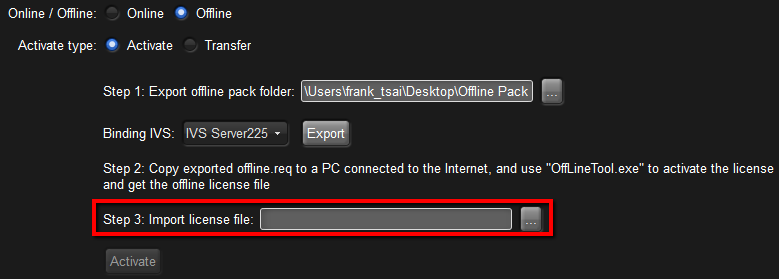
9. Then you can see your license will show on the License List. That means your license has been activated successfully.
Comments
0 comments
Please sign in to leave a comment.